Research how migrating birds determine location and direction
Background
Migratory birds travel long distances, but “which direction should I fly?” and “where am I?” are different questions. What information can the sun, stars, magnetic field, odors, and landmarks provide? Does evidence agree across species, ages, and experimental conditions? How do light pollution and other disturbances affect navigation?
This tutorial uses DeepResearchBench task DRB-59 to walk through a scientific literature review: configure retrieval resources, submit the question, follow the investigation, and inspect a cited report. No experimental data upload, gene expression analysis, or pathway enrichment is required.
The original question comes from DeepResearchBench. The repository's real E2E preserves it and adds report and Artifact delivery requirements. Historical examples below come from actual execution records; they are neither official reference answers nor leaderboard results.
Preparation
Complete the quick start, start the service, and open the interface. This section retains configuration needed for a first review; see Runtime behavior for details.
Model
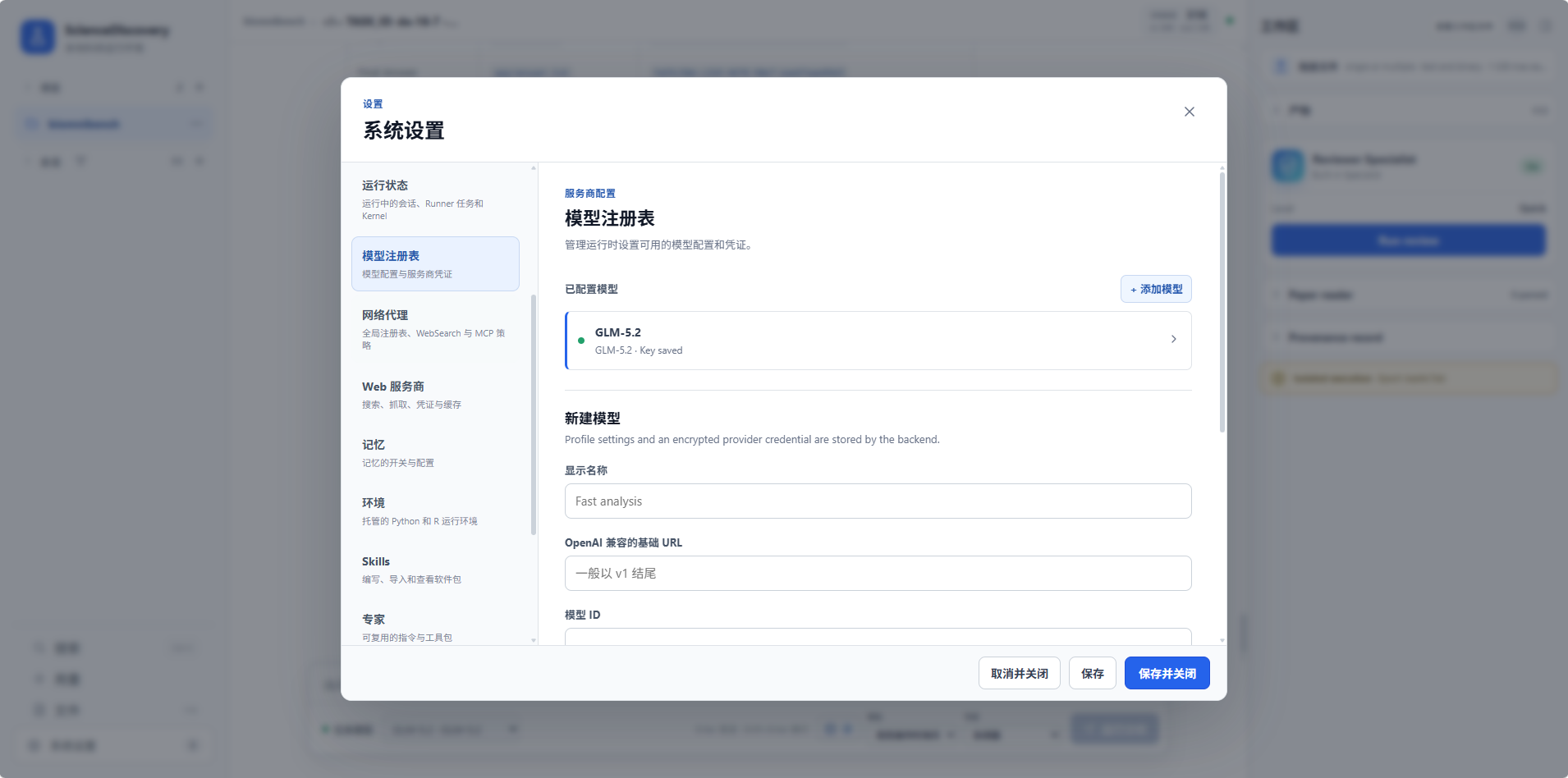
In System settings → Model registry, add an available model with its provider's Base URL, model ID, and API key, then select it for your Project or Session. Enter credentials only in settings, not in task messages. Historical examples used DeepSeek Flash. Other tool-capable models may have different costs, runtimes, and results.
Connectors and retrieval
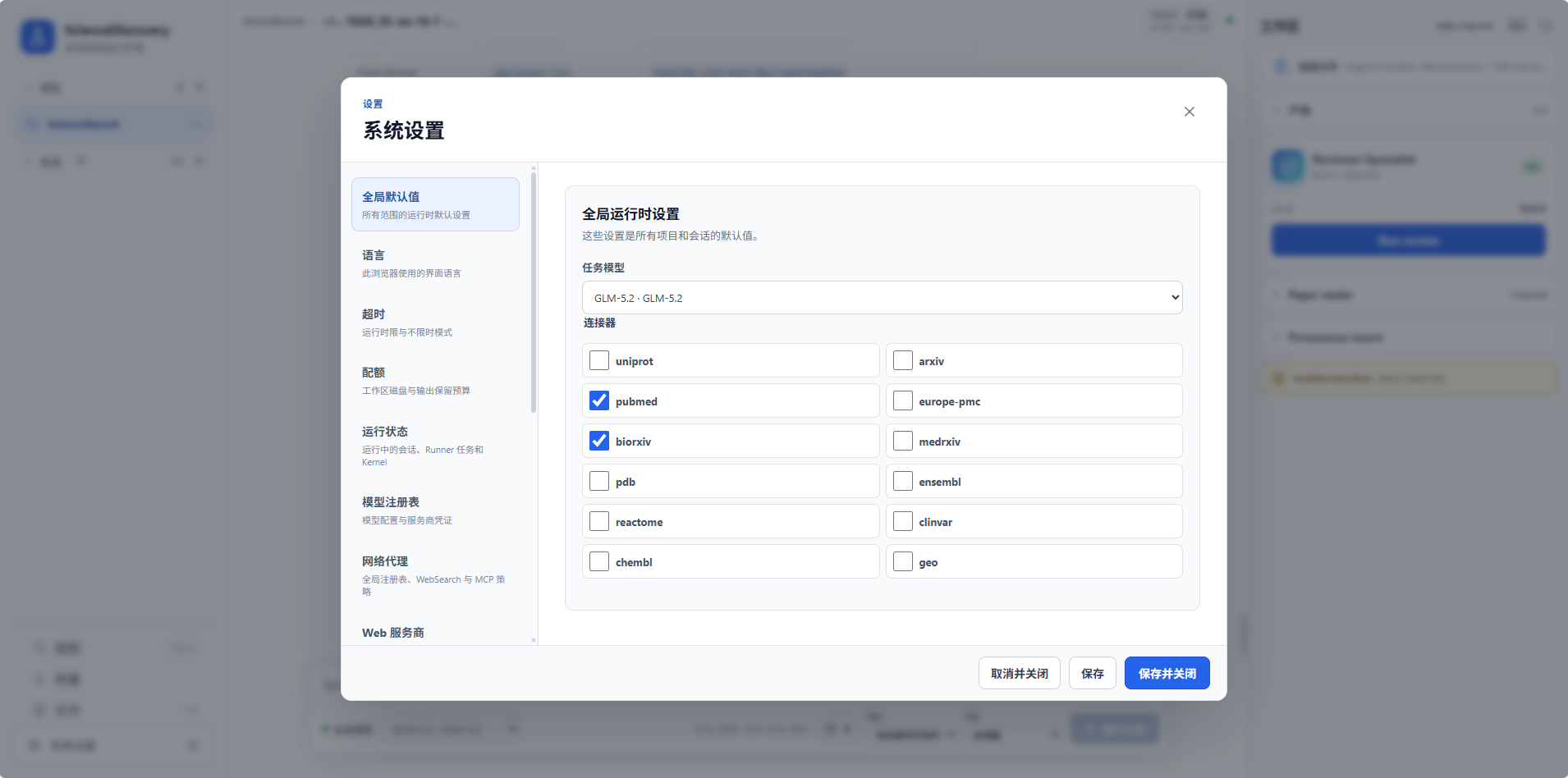
Configure and check literature connectors in System settings → Connectors, then confirm that the current Session can use them. PubMed can provide relevant biological research; bioRxiv can supplement it with preprints. Web search and accessible journal pages can broaden ecological coverage. Available sources depend on your installation and configuration; the task is not restricted to two databases.
Check Session overrides: an explicitly empty connector list disables inherited connectors. Search snippets are not full papers. If a source is unavailable, the Agent should try available alternatives and disclose coverage gaps; “not retrieved” does not mean “no research exists.” See Configure custom MCP servers.
Skills
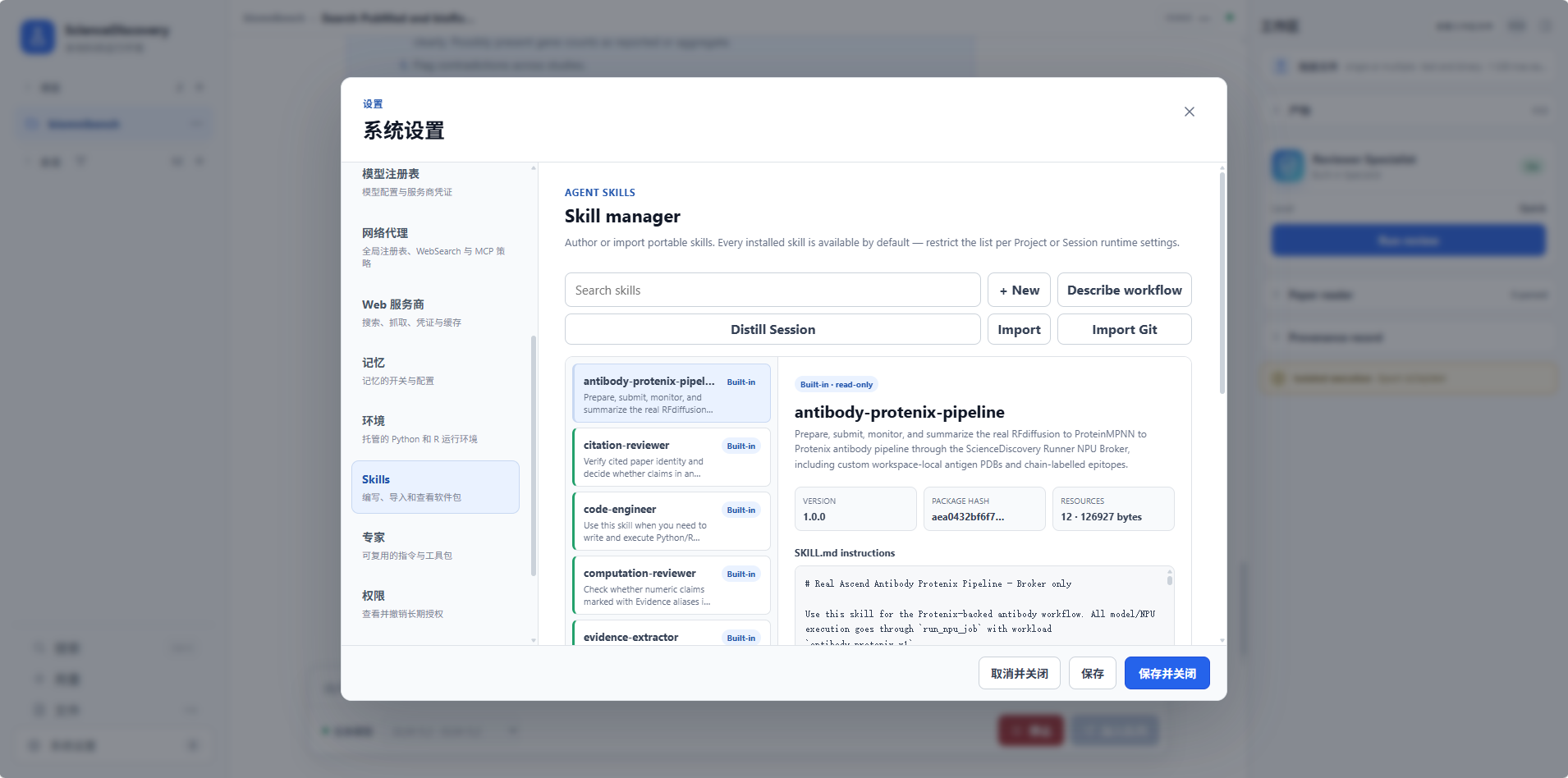
Inspect installed skills in System settings → Skills. literature-searcher retrieves, deduplicates, and organizes sources; it does not coordinate the whole investigation or write the final report. The default Project / Session all mode makes installed skills available. If using a selected allowlist, include the skills you need.
Availability does not prove that a skill was loaded. You can request suitable skills, but check execution records to confirm actual use. Start with existing skills; consider importing or creating one when you need to reuse your own retrieval workflow.
Specialists and scientific memory
System settings → Specialists packages instructions, models, skills, and connectors into reusable experts. Defaults are sufficient for a first attempt. If selecting an existing literature specialist, check whether it restricts tools needed by this task.
Scientific memory is optional and can remain off to simplify setup. When enabling it in System settings → Memory, the default local-file backend needs no additional service; configure Neo4j only if choosing that backend. Memory helps inspect recorded relationships. It does not guarantee complete evidence for every conclusion or replace source checking. See ScienceMemory setup.
Execution environment and time
Confirm sandbox availability. If the task needs scripts, wait for the scientific environment to become ready. Handle code, connector, and download approvals according to the requested action; do not disable all approvals merely to avoid waiting.
Allow one to two hours and a model usage budget for a first full review. The DRB-59 real E2E allows two hours of research by default. This is a local test budget, not an official DRB rule, and does not automatically change ordinary Session timeouts. Model inactivity, tool timeouts, and total task deadlines are separate limits; see Configuration reference.
Start the task
Create a Project such as bird-migration-review and a Session. No input file is needed. Paste and send the complete prompt below. It matches the existing real E2E prompt when no child-task count constraint is configured:
Complete the following DeepResearchBench task as a scientific literature review.
The original question defines the research scope. Choose your own research strategy, delegation and search depth.
Use credible sources, synthesize the evidence, and distinguish established findings, contested claims and limitations.
Support substantive claims with inline citations linked to source URLs in the references.
Deliver the full report as a declared Markdown Artifact named deepresearchbench-59.md; mention it in your final answer.
<task>
In ecology, how do birds achieve precise location and direction navigation during migration? What cues and disturbances influence this process?
</task>
The original English question supports comparison with existing experiments. For everyday use you can request another report language, but record that as a prompt change. Markdown and tables are suitable; extra figures or a prescribed literature count are not required.
Confirm requirements
Read the research plan to see whether it addresses the question rather than merely listing general facts about migration:
| Area | Questions to ask when reading the plan |
|---|---|
| Location and direction | Does it distinguish locating oneself from choosing a heading? |
| Navigation cues | Does it compare their roles, conditions, and interactions? |
| Disturbances | Does it explain which cues are affected and provide evidence? |
| Evidence boundaries | Does it distinguish species, field observations, behavioral experiments, and mechanistic hypotheses? |
| Synthesis | Does it address conflicting studies instead of only summarizing papers individually? |
| Delivery | Will it produce an accessible, complete report with source links? |
This table helps you assess direction; it is not a fixed answer. The Agent may proceed autonomously or ask questions. Do not assume it pauses at a particular checkpoint. In everyday use, you can request confirmation before extensive retrieval, but that changes the original prompt.
Research process
First, watch whether retrieval covers different parts of the question. Position, heading, calibration between cues, and disturbances usually call for different queries. One failed tool call does not establish research failure. Look for query adjustments, alternative sources, or explicit coverage notes afterward.
If child tasks appear, inspect their assignments and execution records. Delegation might separate navigation cues or disturbances. Child count is not a quality measure: the main Agent still needs to synthesize evidence, resolve duplication and disagreement, and deliver a coherent report.
Look for usable intermediate artifacts. During everyday collaboration, you can request that existing findings be saved and the same artifact revised later. A chat update saying “retrieval complete” does not establish task completion. If the run repeatedly encounters the same error or repeats queries, inspect recent tool errors and artifacts before narrowing or stopping the task.
Finally, open deepresearchbench-59.md in the artifacts area. Confirm it can be previewed and downloaded, and that the final reply points to it. Writing a workspace file and registering an Artifact are separate steps; “the report is written” alone does not confirm delivery.
Analyze results
Read the abstract and conclusions, then sample their supporting evidence. One historical report organized magnetic sensing, celestial cues, position finding, environmental disturbances, and evidence limits into separate sections. This is a useful structure, not a required table of contents.
Open citations for several important claims. Check whether the source's species, experimental conditions, and conclusions support the report's wording. Reading an abstract does not justify claiming full-text verification; distinguish preprints from published studies. If scientific memory is enabled, recorded links can assist inspection, but still read the sources.
The following table summarizes a historical three-run experiment. The scoring Judge used DeepSeek Flash; research durations exclude independent evaluation:
| Run | Research duration | Delivery | RACE overall score, displayed out of 100 |
|---|---|---|---|
| 1 | About 55 minutes 33 seconds | Completed | 56.18 |
| 2 | About 22 minutes 20 seconds | Completed | 55.71 |
| 3 | About 28 minutes 34 seconds | Completed | Unavailable: evaluation errored on that attempt |
A RACE score of 50 means parity with the reference report, not 50% factual accuracy. RACE assesses comprehensiveness, insight, instruction following, and readability. This experiment enabled RACE only; FACT was skipped by configuration. These scores do not establish that all citations were verified. Run 3 should be counted neither as zero nor as successful scoring.
Real E2E completion requires a completed main run whose final reply references at least one readable, nonempty Artifact. Quality is evaluated separately; word count, citation count, child count, and a minimum score do not gate delivery. Ordinary interface sessions do not automatically run this independent evaluator. See the testing documentation below to reproduce the experiment.
Caveats
- A report is not a final scientific verdict. Evidence across species, conditions, and measurement methods may not generalize. State uncertainty, especially for mechanisms.
- Record retrieval gaps. Rate limits, inaccessible sources, and incomplete abstracts affect coverage; they are not negative scientific evidence.
- More references do not guarantee stronger support. Check individual claim-to-source relationships and avoid treating repeated citations as independent evidence.
- Skills and memory assist the work. Configuration alone does not establish that tools ran, sources were read, or artifacts were delivered.
- Runtime and scores vary. Three historical completions do not guarantee future success. Compare runs with their models, prompts, retrieval resources, and evaluation modes recorded together.
Related documentation
- Quick start: start the service and create a Session.
- Runtime behavior: skills, configuration inheritance, and permissions.
- Shell, environments, and workspaces: execution and file delivery.
- DeepResearchBench real E2E: selecting DRB-59, runtime budgets, and RACE/FACT configuration and interpretation.
- 中文版.